

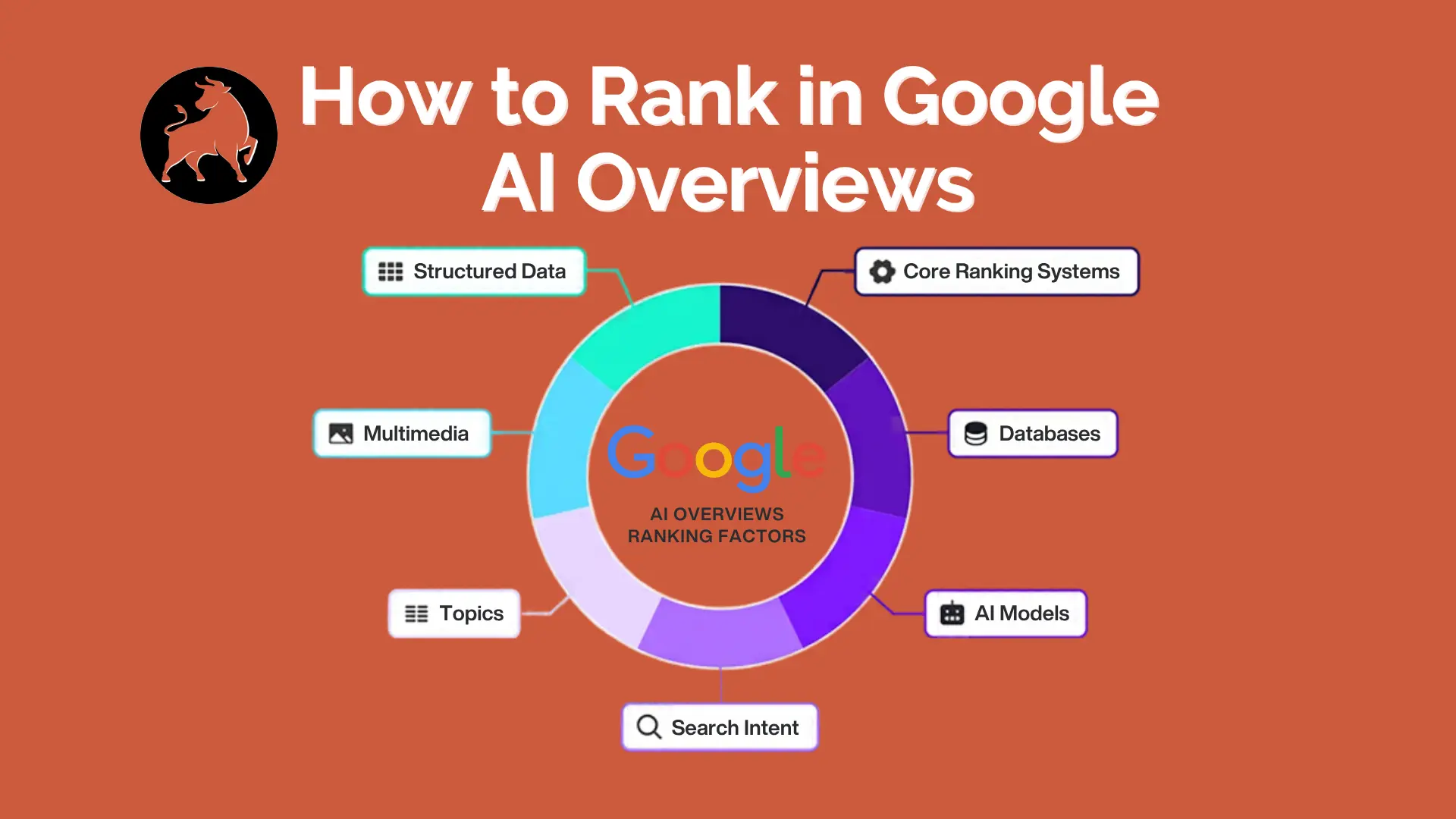
You rank on page one. Your traffic still dropped. The reason is sitting above your listing: a Google AI Overview that answers the question before anyone scrolls to you.
Here’s the short answer to how to rank in Google AI Overviews: rank well for the query and its related sub-questions, open every section with a direct 2–3 sentence answer, and give Google proof that you’re a trustworthy source (named experts, original data, mentions on other sites). Google says there’s no special markup or secret file required. What wins is ordinary SEO done unusually well, plus content built to be quoted.
At OxxLeads we run lead generation for law firms, solar installers, insurance agencies and e-commerce brands. In those markets, an AI Overview citation isn’t a vanity metric. It decides whether a prospect sees your name before they see your competitor’s. This guide is the 9-step playbook we use, what keeps sites out, and how to measure whether it’s working.
What are Google AI Overviews and how do they choose sources?
Google AI Overviews are AI-generated summaries at the top of search results that answer a query by combining several web pages and linking to them as sources. They run on Google’s Gemini models, working on top of the same index and ranking systems behind regular search.
The part most guides skip is query fan-out. Google’s own documentation says AI Overviews may split one search into multiple related sub-searches, then build the answer from pages that do well across those sub-searches (Google Search Central).
That explains a shift in the data. In July 2025, about 76% of AI Overview citations came from pages ranking in Google’s top 10 for the same query. By Ahrefs’ March 2026 study of 4 million cited URLs, that share had fallen to about 38%; the rest split almost evenly between positions 11–100 and pages outside the top 100 (Ahrefs).
So ranking still matters, but you’re no longer ranking for one keyword. You’re ranking for the whole cluster of follow-up questions Google asks on the searcher’s behalf.
Which searches trigger an AI Overview?
AI Overviews show up mostly on informational searches: “what is”, “how to”, “how much does”, “X vs Y”. Pew Research found that 53% of searches with 10 or more words triggered one, compared with 8% of one- or two-word searches (via DreamHost). Transactional searches like “hire personal injury lawyer near me” trigger them less often.
For a service business, that means the questions your prospects ask before they’re ready to buy are where AI Overviews live: “how much does solar cost in Texas”, “do I need a lawyer after a minor car accident”, “what does final expense insurance cover”.
Why showing up in AI Overviews matters for leads
Being cited in an AI Overview gets you more clicks than ranking underneath one, and those clicks tend to be better quality. Here’s what the numbers say.
| Situation (informational queries, Q3 2025) | Organic CTR |
|---|---|
| No AI Overview on the page | 1.45% |
| AI Overview shown, your brand is cited | 0.70% |
| AI Overview shown, your brand is not cited | 0.52% |
Source: Seer Interactive, 3,119 queries across 42 brands.
Cited brands earned 35% more organic clicks and 91% more paid clicks than brands that weren’t cited on the same kind of query. Google also states that clicks from results pages with AI Overviews are higher quality, with visitors spending more time on the site (Google Search Central).
For a lead-gen business, three things follow:
- Fewer but warmer visits. Someone who reads Google’s summary and still clicks your link wants more depth. That’s a prospect, not a browser.
- Name recognition before the sale. A homeowner who sees your solar company cited on three research questions recognises you when they search “solar installers near me” next week.
- It compounds into AI assistants. The same signals that earn AI Overview citations (clear answers, authority, mentions) also help you show up in ChatGPT, Gemini and Perplexity answers.
The practical shift: stop judging informational content only by sessions. Judge it by citations, branded search growth and the leads it assists.
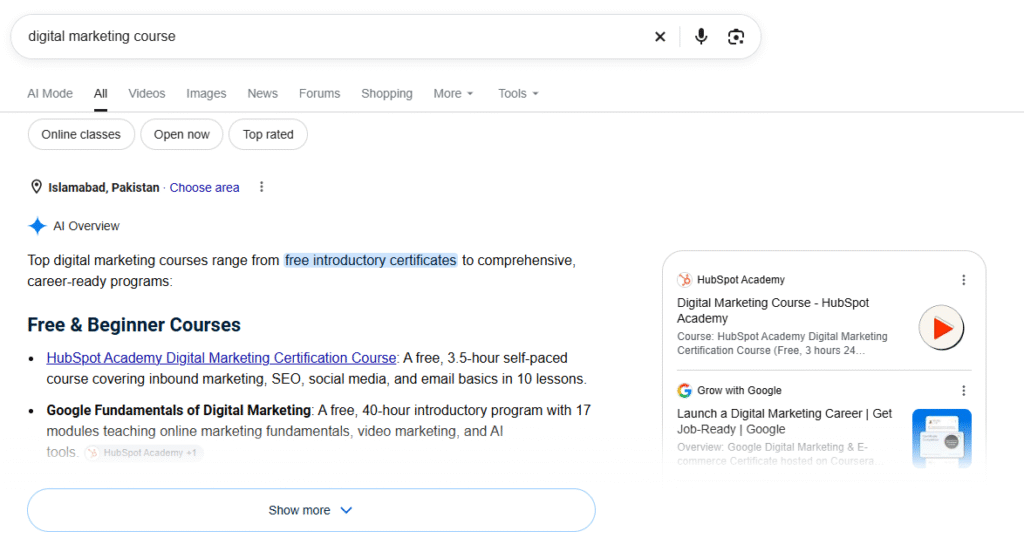
How to rank in Google AI Overviews: 9 steps
These steps run in order of impact. Steps 1–3 make you eligible, 4–6 make you quotable, and 7–9 make you trusted.
1. Make sure Google can index and snippet your page
To be cited, a page must be indexed and allowed to show a snippet in Google Search. That’s Google’s only technical requirement. Check three things:
- Robots.txt, your CDN and any security plugin aren’t blocking Googlebot.
- The page has no
nosnippet,data-nosnippeton key text, or a tightmax-snippetlimit. These tags quietly remove you from AI Overviews. - Your main answer is in the HTML as text, not loaded later by JavaScript or locked inside an image or PDF.
Run the URL through Search Console’s URL Inspection tool and read the HTML Google actually received.
2. Find the questions Google fans out to
Search your target query and write down every question in “People Also Ask”, the AI Overview’s own sub-headings and its follow-up suggestions. Those are your fan-out queries. Then ask ChatGPT or Gemini: “What 10 follow-up questions would someone searching [query] ask next?” Merge the lists.
For “how much does solar cost”, that list might include cost per watt, tax credits, payback period, financing vs. buying, and cost by state. Each one is a section heading or a supporting article.
3. Build a topic cluster, not a single post
Google favours sites that cover a subject from every angle. Create one pillar page that answers the main question, then supporting articles for each major sub-question, one intent per URL. Link every supporting article to the pillar and to each other where they overlap.
A personal injury firm, for example, would pair a pillar on “what to do after a car accident” with posts on police reports, medical records, dealing with the insurer, and settlement timelines.
4. Lead every section with a direct answer
This is the single biggest on-page change. Under each heading, write 2–3 sentences that fully answer it, with the key fact in bold. Then add the detail, examples and exceptions.
Use this pattern:
- Heading phrased as the question (“How long does a car accident settlement take?”)
- Answer block: “Most car accident settlements take 3 to 12 months. Simple claims with clear fault settle faster; cases that go to litigation can take 2 years or more.”
- Depth: the factors, a real example, what to do next.
If Google can lift your answer block word for word and it still makes sense, you’ve done it right.
5. Format for extraction: lists, tables, steps
Whenever you compare options, list costs or explain a process, use a table, a numbered list or a bulleted list. Each row or item becomes a clean fact Google can pull. Keep paragraphs to 2–4 sentences. Avoid burying three comparable items in one long paragraph.
6. Add facts nobody else has
AI Overviews need something to cite, and original numbers are the easiest thing to cite. You don’t need a big research budget. Use what your business already knows:
- Average figures from your own jobs or campaigns (“Across 140 solar installs in 2026, our average system was 8.2 kW”).
- Survey results from your clients or email list.
- A clear comparison table built from public data that no one else has organised.
Name and date every statistic and link to its source. Unsourced numbers read as opinion.
7. Prove who wrote it (E-E-A-T)
Put a real author on every post, with a bio that states their actual experience: “Written by a licensed agent with 12 years selling final expense policies.” Link the bio to a dedicated author page and their LinkedIn. For legal, medical and financial topics, add a reviewer line from a qualified professional. Use Person and Organization schema, and make sure it matches what’s visible on the page.
8. Earn mentions off your own site
Your brand competes as an entity, not just as a website. Google trusts sources that other trusted sites talk about. Focus on:
- YouTube. Ahrefs reports YouTube is the most-cited domain in AI Overviews (Ahrefs). Turn your best articles into short explainer videos with matching titles and transcripts.
- Industry directories and associations (state bar listings, solar installer directories, insurance carrier pages).
- Local and trade press, podcasts, and expert quotes on platforms like Qwoted or Featured.
- Reddit and Quora answers that genuinely help, from a named expert account.
9. Refresh with real updates
AI Overviews prefer current information on anything that changes: prices, laws, rates, incentives. Review your top pages every quarter. Update the numbers, add sections for new questions, and change the “last updated” date only when the content actually changed. A new date on old content doesn’t fool anyone.
7 mistakes that keep your site out of AI Overviews
Most sites that never get cited are making one of these mistakes, not missing some secret tactic.
- Blocking snippets by accident. A
nosnippettag from an old SEO plugin setting removes you from AI Overviews completely. - Buying “AI SEO” files. Google says you don’t need an llms.txt file, special AI markup or new schema types to appear. Spend that time on content.
- Hiding the answer. A 300-word story before the first useful sentence means Google quotes someone else.
- One post per topic. A single article can’t cover every fan-out question. A cluster can.
- Faceless content. No author, no credentials, no sources. Google won’t put its name next to an anonymous claim on legal, health or money topics.
- Schema that doesn’t match the page. Marking up FAQs that aren’t visible, or reviews you don’t show, can cost you trust instead of earning it.
- Only chasing informational traffic. AI Overview visibility is the top of the funnel. Your service pages, case studies and local pages still have to convert the visitor once they arrive.
How to track your AI Overview visibility
You can track AI Overview citations with a free monthly spot-check plus Google Search Console; paid tools add scale.
Free method (30 minutes a month):
- List the 10–20 questions that matter most to your business.
- Search each one in an incognito window from your target country.
- Expand the AI Overview and note: did it appear, are you cited, which competitors are cited.
- Log it in a spreadsheet and repeat monthly. Citations change often, so trends matter more than any single check.
In Search Console: AI Overview impressions and clicks are already counted inside your normal Performance report. Google has also been rolling out a dedicated generative AI performance report since mid-2026; check whether your property has it (via DreamHost). Watch for queries where impressions rise but clicks don’t. That’s often a sign an AI Overview is answering above you.
Paid tools: Ahrefs Brand Radar, Semrush and similar platforms track AI Overview citations across thousands of keywords if you need scale.
What to report to the business: citation share on your priority questions, branded search volume, and leads from organic. Not just sessions.
FAQs
How do I rank in Google AI Overviews?
Rank well for your main query and its related sub-questions, open each section with a direct 2–3 sentence answer, format comparisons as lists or tables, and build authority with named experts, original data and mentions on other sites. Google says no special optimization beyond standard SEO is required.
Do I need to rank #1 to appear in an AI Overview?
No. Ahrefs’ 2026 data shows only about 38% of cited pages rank in the top 10 for the same query. Many citations come from pages that rank for related sub-questions instead.
Does schema markup help with AI Overviews?
Schema helps Google understand your page, but Google says there’s no special structured data required for AI features. Use Article, FAQ, Person and Organization schema where it fits, and make sure it matches the visible content.
How long does it take to get cited?
There’s no fixed timeline. Pages that already rank well can be cited within weeks of restructuring. Newer sites usually need a few months of building a topic cluster and authority first.
Why isn’t my site showing in AI Overviews?
The most common reasons: the query doesn’t trigger an AI Overview, your page doesn’t rank for the query or its sub-questions, your answer is buried, or a nosnippet setting is blocking you.
Can I stop Google from using my content in AI Overviews?
Yes. The nosnippet, data-nosnippet, max-snippet and noindex controls limit what Google shows from your pages, including in AI features.
Is Google’s AI recommending you or your competitors?
Most businesses have no idea whether they appear in AI Overviews for the questions their customers ask. Their competitors often do.
We’ve built lead-generation systems for law firms, solar companies, insurance agencies and e-commerce brands since 2019, so this report focuses on searches that turn into clients, not vanity traffic.
- We checkYour priority searches in Google AI Overviews and ChatGPT
- We showWhich competitors get cited instead of you
- You getA short list of fixes, ranked by impact
